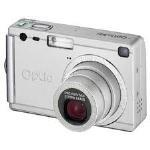
OPTIOS4I
- Version
- –
- Manufacturer
- PENTAX
- License
- Unknown
- File size
- –
- Supported systems
- Windows 8, Windows 8.1
Get it from ricohimaging.com
Opens the download page on ricohimaging.com in a new tab.
Link broken or pointing to the wrong file? Let us know.
- Pentax K-30 16MP SLR Digital Camera
- Pentax Optio 555 5MP Digital Camera
- Pentax Optio 30 3.2MP Digital Camera
- Pentax Optio S4 4MP Digital Camera
- Pentax Optio S 3.2MP Digital Camera
- Pentax Optio 43WR 4MP Digital Camera
- Pentax K-7 14.6MP Digital Camera
- Pentax Imaging Company K-X Black 12.4MP SLR Digital Camera
- Canon EOS 100D 18MP SLR Digital Camera
- Canon IXUS 200 IS 12.1MP Digital Camera
- Canon PowerShot G15 12.1MP Digital Camera
- Fujifilm FinePix S8400W 16.2MP SLR Digital Camera
- Canon EOS Rebel T4i 18MP Digital Camera
- Canon EOS Rebel T5 18MP Digital SLR Camera
- Canon PowerShot ELPH 340 HS 16MP Digital Camera
- Canon EOS Rebel T5i 18MP SLR Digital Camera
- Check that the driver matches your exact model and Windows version. The model number is usually printed on a sticker on the card or device.
- Scan everything you download with antivirus software, and on Windows XP or later create a restore point before installing.
- Not sure how to install it? Our install guide covers ZIP and EXE packages, INF files and DOS drivers.
- Drivers listed here are published by their manufacturers. PCDriverDownload can't provide support for them and isn't responsible for problems caused by downloading or using them.