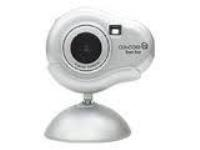
Eye-Q Easy Too
- Version
- –
- Manufacturer
- Concord
- License
- Unknown
- File size
- –
- Supported systems
- Windows 8, Windows 8.1
No download link yet. We haven't found a working download for this driver. Check the manufacturer's support site, or try one of the related drivers below.
Know where to find it? Suggest a link
- Concord 3043 Video Camera 4.55.0.0v8.7.8
- Concord Eye-Q 1000 StillCam (WDM) n/av2.6.1
- Concord 3043 Digital Camera 4.55.0.0v7.15.3
- Concord Eye-Q 1000 Camera (WDM) n/av6.3.3
- Concord Eye-Q Go Wireless Mass Storage V1.00 5.1.2600.0v8.4.8
- Concord EyeQ Go LCD USB Mass Storage V1.00 5.1.2600.0v2.11.4
- Concord Eye-Q Go 1.3MP Digital Camerano download yet
- Concord 1500 1.3MP Digital Camerano download yet
- Canon EOS 100D 18MP SLR Digital Camera
- Canon IXUS 200 IS 12.1MP Digital Camera
- Canon PowerShot G15 12.1MP Digital Camera
- Fujifilm FinePix S8400W 16.2MP SLR Digital Camera
- Canon EOS Rebel T4i 18MP Digital Camera
- Canon EOS Rebel T5 18MP Digital SLR Camera
- Canon PowerShot ELPH 340 HS 16MP Digital Camera
- Canon EOS Rebel T5i 18MP SLR Digital Camera
- Check that the driver matches your exact model and Windows version. The model number is usually printed on a sticker on the card or device.
- Scan everything you download with antivirus software, and on Windows XP or later create a restore point before installing.
- Not sure how to install it? Our install guide covers ZIP and EXE packages, INF files and DOS drivers.
- Drivers listed here are published by their manufacturers. PCDriverDownload can't provide support for them and isn't responsible for problems caused by downloading or using them.